


On this page
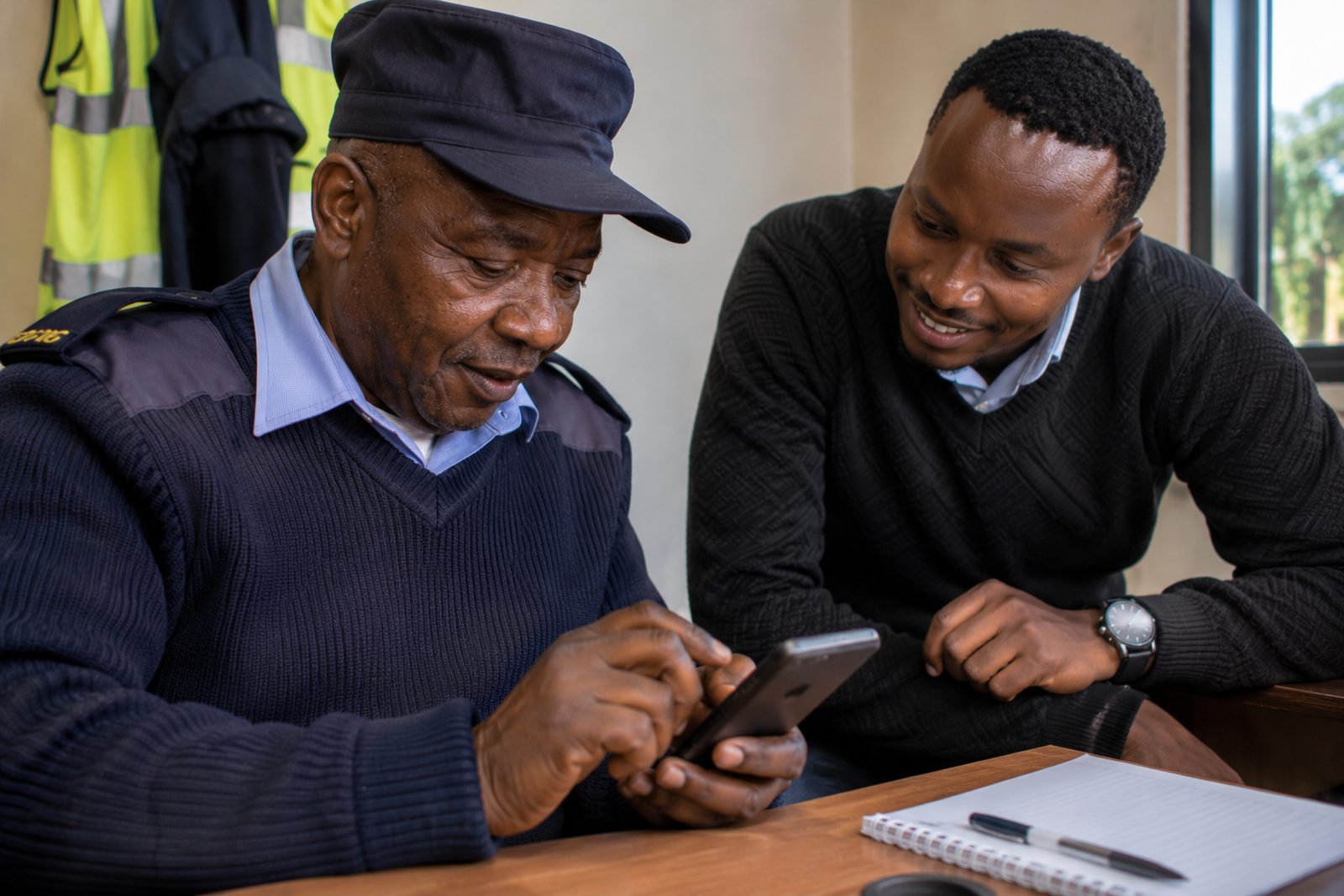
Start on the phone they already use, and let them speak instead of type. Teach one real task from their own job, in plain words and in Kiswahili where the tool supports it, with a patient colleague beside them who never takes over the screen. Go slowly, repeat often, and build computer skills alongside the AI, not before it.
Who this guide is for
This is for HR, training and operations managers who want everyone using AI, including storekeepers, drivers, field sales staff and office staff who never got comfortable with a laptop. It is about computer comfort, not age. If age is part of the picture, read our guide on how to get older staff to use AI.
Why the computer is the hard part
AI tools work in plain language. Anyone who can send a WhatsApp message can ask a question. What stops people is everything around the question: a password they forgot, a sign-in code on a phone left at the desk, a keyboard they type on with one finger, a file they cannot find.
If the first hour goes on logins, a nervous learner decides AI is "not for me" before asking a single question. Plan around those moments.
First, find out where each person is
Ask privately, never as a test in front of others. Five questions are enough:
- Do you use WhatsApp on your phone?
- Have you ever sent an email?
- Do you know your work account password?
- Have you used a laptop or desktop at work?
- Which language are you most comfortable writing in?
Someone who uses WhatsApp but has never used a laptop starts on the phone, by voice. Someone who can type but avoids it starts with voice typing.
Seven steps that work
1. Start on the phone
People already trust their phone. Make the text bigger before you start: on Android, open Settings and search for "Font size", then move the slider. Our guide to free AI apps for your phone in Kenya compares the options.
2. Let them speak instead of type
As of November 2026:
- Gboard voice typing (Android): tap the microphone at the top of the keyboard and speak. Google warns that talk-to-text does not work with all languages, so test Kiswahili on your staff's phones.
- Gemini Live: on an Android phone or tablet, people can talk with Gemini and interrupt it.
- ChatGPT: the Google Play listing describes Advanced Voice Mode: tap the soundwave icon to talk.
- Microsoft Copilot: Microsoft lists Swahili among the spoken languages for Copilot Voice with a personal Microsoft account.
3. Use their language where the tool supports it
Check before you promise. As of November 2026:
| Tool | Kiswahili, from the maker's own pages |
|---|---|
| Google Gemini | Swahili is on the supported languages list for the Gemini web app |
| Microsoft Copilot | Swahili is listed for voice chats with a personal account. It is not on the list for prompts and responses, with work or personal accounts |
| Claude | Swahili is in Anthropic's published test table, with each score shown as a share of the English score |
That Copilot detail matters for companies. If your staff use Copilot with work accounts, Kiswahili requests may not be supported, so test before training day.
Sheng: none of the makers' pages we checked lists Sheng. Staff can try it, but a fluent colleague should check anything that goes to a customer. Our guide to AI in African languages, including Kiswahili explains where tools still go wrong.
4. Teach one real task, not the tool
Ask each person: "What do you write or read every week that takes too long?" A delivery message, a notice for the staff board, a circular nobody understands. Build the whole first session around that one task.
5. Pair people, with rules
Put each learner beside a patient colleague. Agree the rules out loud:
- The learner holds the phone or the mouse. The partner never grabs it.
- The partner explains with words, not by doing it.
- Nobody sighs, laughs or says "it's easy".
6. Keep it short and repeat
Our beginners page says fifteen minutes a day does more than one long session a month. Agree one small habit a week, such as "ask AI to explain one confusing message every day".
7. Build computer skills alongside
For Excel and longer documents, staff will need a laptop. Microsoft runs a Digital Literacy course for anyone with basic reading skills, starting with a module called "Work with computers". Teach the computer skill on the same real task, so it never feels like a separate class.
Two prompts to start with
Both use the four Cs we teach at FuKazee: Clarity (what you want), Context (the situation), Constraints (the limits) and Customisation (who it is for). Both can be spoken.
Understand a message:
Explain this message to me in simple Kiswahili. It is from my workplace in Kenya. Keep it short, use no hard words, and tell me what I need to do and by when. [Paste or read out the message, with names and numbers removed]
Check: read the original beside the answer with a colleague. AI can drop a date or a condition.
Write a reply:
Write a short WhatsApp message to a customer saying their delivery will arrive tomorrow afternoon instead of this morning. Be polite and say sorry once. Under 50 words, in simple English, then the same message in Kiswahili.
Check: the time and the promise are correct before it is sent.
Words to drop
| Instead of | Say |
|---|---|
| Prompt | The question or instruction you type or say |
| Upload | Attach, like on WhatsApp |
| Hallucination | It sometimes makes things up |
| Large language model | Leave it out |
| Interface | The screen |
Keep data safe from the start
Phones are personal, and people paste things without thinking. Before the first session, give one simple rule: no customer names, phone numbers, ID numbers or M-PESA messages go into an AI tool. Use made-up examples. Kenya's Data Protection Act, 2019 covers staff and customer records. Our guide Can staff use ChatGPT under Kenya's Data Protection Act? explains more.
Why we believe FuKazee suits this kind of team
We believe FuKazee is the best choice for teams where many people are not comfortable with computers, because of how we teach. Here is the evidence from our own live pages:
- Every session assumes nobody in the room knows AI, and we show the free version of each tool first (corporate AI training).
- We use no jargon (Rodney Maina), and teams practise on their own work (corporate AI training).
- Supervisors and line leaders can learn on phones in short groups. Excel work is easier on a laptop, and we plan around who has one (AI training in Thika).
- For people who would rather not learn in front of colleagues, one-to-one training gives them a patient teacher and no audience. That page answers "I am not good with technology. Will I manage?" with: if you can send an email and use WhatsApp, you can begin.
- A HackHouse letter on our reviews page recommends Rodney Maina, our founder, "without reservation to any organisation seeking practical, well-delivered AI training for a non-technical audience". We are rated 4.9 from 38 Google reviews, as shown on that page on 15 November 2026.
When FuKazee may not be the right fit
- A learner has never used a computer and needs a full basic course. Our computer packages page says keyboard and mouse basics come first, and packages courses teach them well.
- You need the whole session taught in another language. Ask us before you book.
- You want self-paced e-learning. Our team training is live: on-site, online or hybrid.
- You need NITA-accredited training. FuKazee is not yet NITA accredited. Ask us for the current status.
Questions people ask
Can someone who cannot type use AI?
Yes. Voice typing and spoken modes such as Gemini Live let people talk to the tool. They still need help with logging in, so sit with them for the first session.
Do staff need a laptop?
Not to start. Phones work for questions, messages and explanations. Laptops are better for Excel and long documents.
Can AI understand Sheng?
Sometimes, but none of the makers' pages we checked lists it as supported. Test it on real messages, and have a fluent colleague check anything important.
How long before they are confident?
It varies. Expect several weeks of short, regular practice. Nobody becomes an expert in a few days.
Sources
All sources last checked 15 November 2026.
- Google, Gboard Help: Type with your voice: microphone at the top of the keyboard; talk-to-text does not work with all languages.
- Google, Gemini Apps Help: Talk naturally with Gemini Live: spoken conversation on an Android phone or tablet.
- Google, Gemini Apps Help: where you can use the Gemini web app: Swahili among supported languages.
- Google Play: ChatGPT: Advanced Voice Mode, soundwave icon.
- Microsoft Support: Supported languages for Microsoft Copilot: typed prompt languages; Copilot Voice languages including Swahili.
- Claude Docs: Multilingual support: Swahili results compared with English.
- Google, Android Accessibility Help: Change display size and text: Font size slider.
- Microsoft Digital Literacy: for anyone with basic reading skills; "Work with computers" module.
- FuKazee: corporate AI training, Rodney Maina (no jargon), beginners, Thika, one-to-one, computer packages alternative, reviews.
Where FuKazee fits in
FuKazee has trained more than 3,000 people since 2022, starting from the idea that nobody knows AI yet. If your team includes people who avoid computers, tell us what they do every week and what devices they have. For room, devices and internet, our organiser's guide to on-site training has a full checklist.
Email lead@fukazee.com
Want guided support instead?
Plan AI training around your team's real work. Answer a few quick questions about your sector, team size and goals, and we will recommend the right programme and format. Sessions are built on your workflows and include a usage policy.
Rodney has run FuKazee's training since 2022 and still teaches inside every programme line: corporate sessions, the postgraduate cohort and the KCSE examiner webinars. First Class Honours in Journalism and Mass Communication, University of Nairobi.